Live programming and multiple channels
Your main station and themed streams are in one place, each with its own name and look. Listeners choose what they want to hear, while the station can present several musical directions within the same brand.
APPS FOR RADIO STATIONS
Your radio. With your audience, all day long.
We develop mobile, TV and in-car apps under your station's name. Connect live programming, music channels, shows and video on the screens your audience already uses. Give your reporting team a faster way to prepare and send material from the field to the newsroom.
Your content. Your identity. The examples shown are Radio Banovina apps.
FROM LISTENERS TO THE NEWSROOM
Morning radio in the car, a show on a phone and video on a television. Your station is behind it all. We develop apps for these everyday habits and give reporters tools to prepare field content faster.
01 / Android and iOS
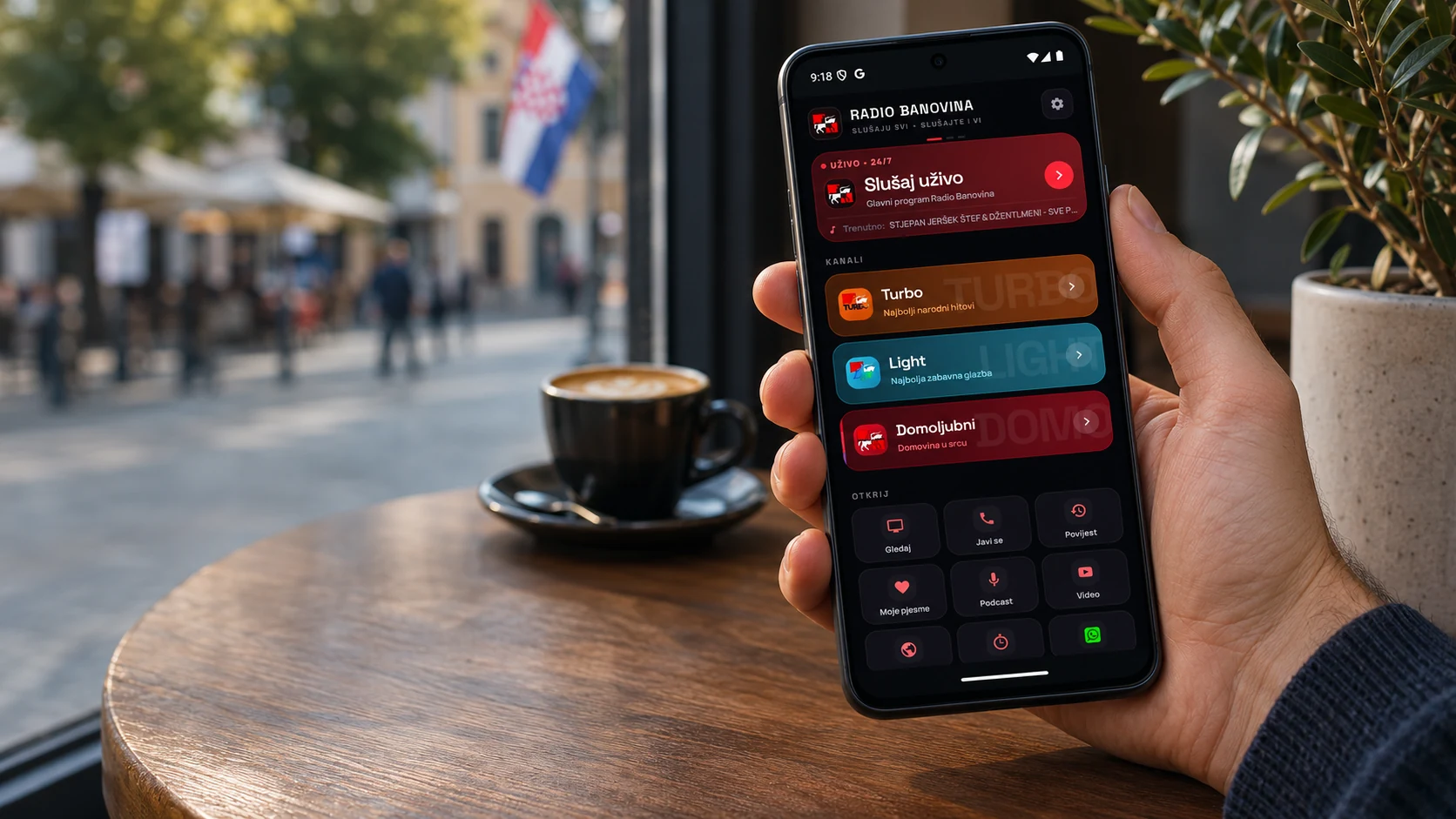
Listeners open an app bearing your name and go straight to your programming. Alongside the main stream, they can find themed channels, a missed song, a favourite show or a new video. Content you already create becomes easier to find and listen to again.
Your main station and themed streams are in one place, each with its own name and look. Listeners choose what they want to hear, while the station can present several musical directions within the same brand.
Artist and song information accompanies playback. Listeners can browse programme history and more easily find what they have just heard, without remembering the broadcast time or calling the newsroom.
With a radio recording system, listeners can replay an available previously broadcast song and then return to the live programme. Availability depends on the recordings the station retains and connects to the app. A missed song stays within reach.
Shows and episodes have their own place in the app. Audiences choose by interest and listen when it suits them. A video library and live TV can expand the offering of a station that also produces video content.
Listeners save song titles and artists to a personal favourites list on their device. Station contact details, links and sharing bring them closer to the newsroom. In the Android version, a radio alarm lets them choose a time, days and wake-up channel.
Background playback and system controls let users listen while doing something else on their phone. The interface and behaviour are adapted to Android and iOS, including the way each handles media controls.
Articles from your website appear in the app with a headline, photograph and summary. Listeners read and share content while a small player keeps the radio close at hand. Your website gains another entry point for an audience already connected to the station.
Push notifications can direct audiences to important content, while advertising space adds another surface to your digital offering. Integrations, placements and usage are agreed according to the project and each platform's rules.
The station gains its own space for building audience relationships: from starting a stream for the first time to replaying a show. We agree the feature scope separately for Android and iOS.
02 / Radio in the car
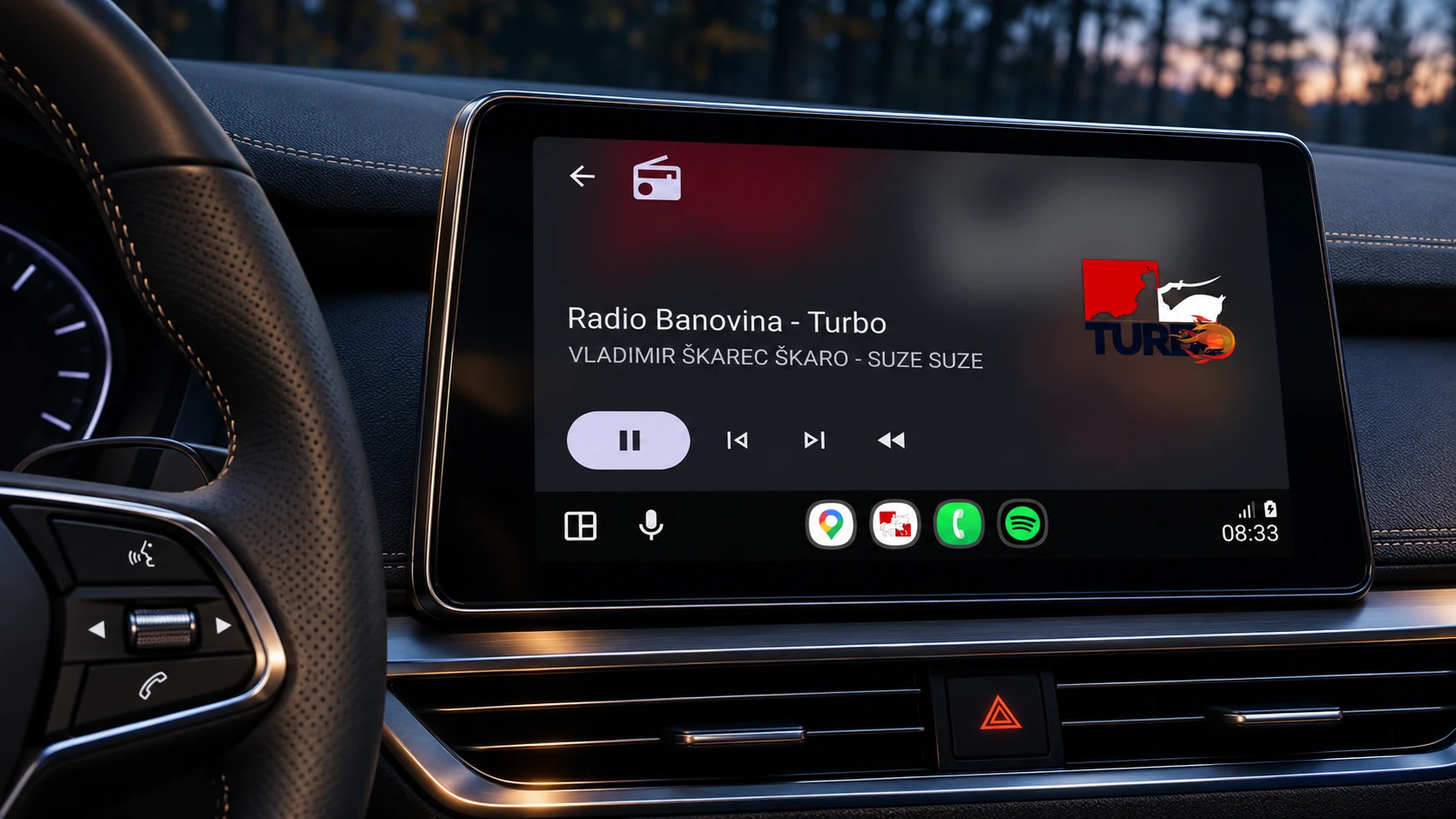
Driving is a natural setting for radio. We develop a listening experience that brings channels, song titles and essential controls into an interface designed for the car. Android Auto, Apple CarPlay and Android Automotive OS represent three different ways to connect with your audience.
An Android phone connects the app to a compatible vehicle display. Listeners choose a radio channel, view playback information and use media controls. In the Radio Banovina example, earlier recordings and a return to live programming are also available.
For iPhone users, we develop a radio experience through Apple CarPlay: browsing channels, starting playback and viewing current content information in the car interface. Features and their presentation are aligned with the platform's capabilities.
Android Automotive OS is an operating system built into the vehicle. We develop a separate radio app for it, installed in the car and running without phone projection. Listeners can choose your channels, follow song information and control playback. We include available radio recordings and a return to live according to the connected archive and the target system's capabilities.
Reach listeners on the commute, in city traffic and on longer journeys. We define supported devices, system versions and distribution scope during project preparation.
03 / TV apps
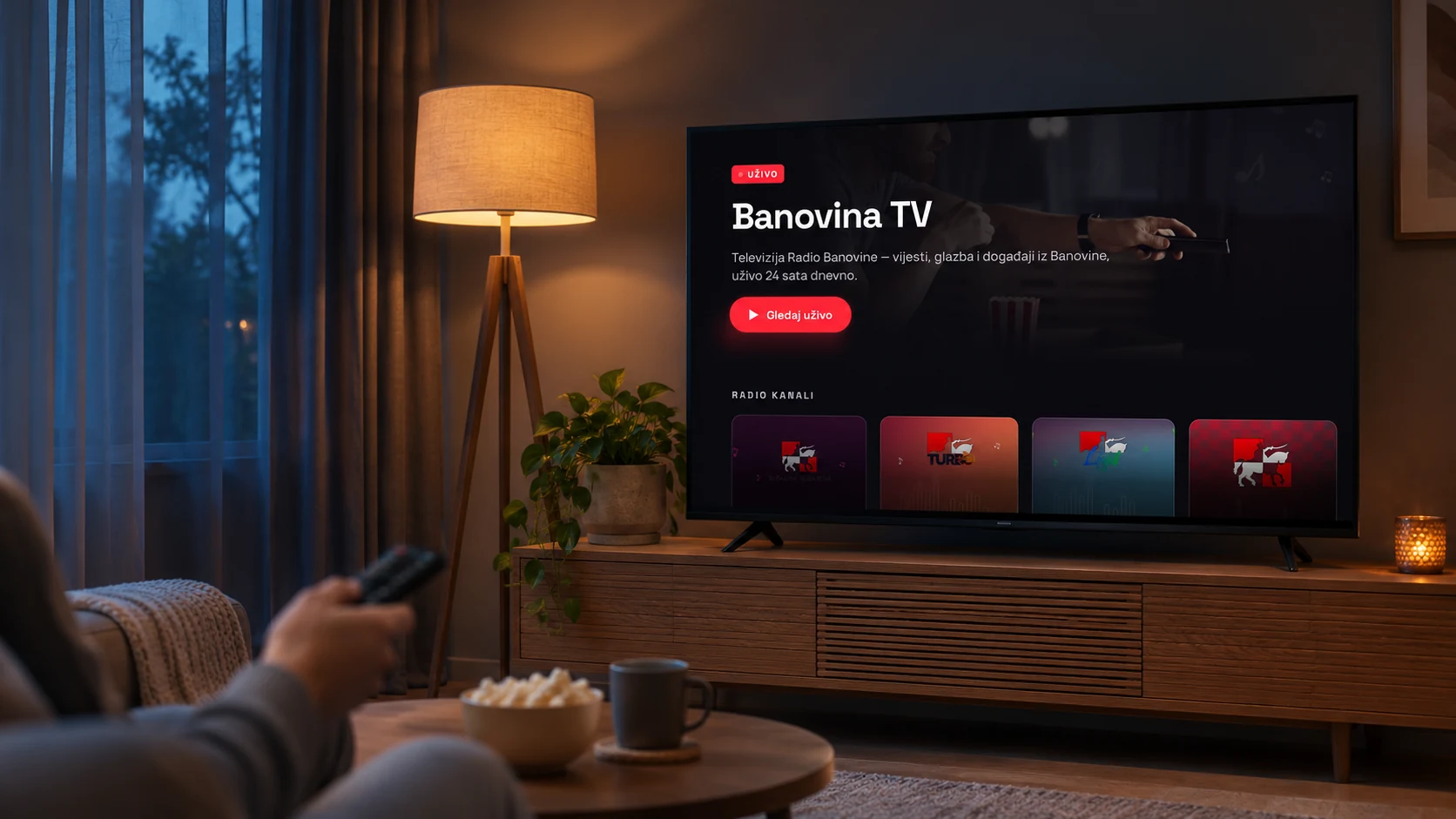
A TV app gives your content a place in the living room. Radio channels can sit alongside live TV, podcasts and a video library, with large interface elements and remote-control navigation. Users choose content from their armchair without searching for a stream in a browser.
A dedicated TV app brings together radio channels, live programming and on-demand content. Selection highlights, menus and controls are designed for a remote control. The Banovina project also connects song history and access to available earlier content.
For Samsung TVs, we develop Tizen apps that connect radio channels, current song information, live TV and a searchable video library. The home screen and navigation are adapted for a remote control. Implementation is aligned with Samsung's playback system and the selected device generations.
Our offering includes development for LG webOS TVs. Together with the station, we define channels, video sources, navigation and target models, then prepare an implementation for that platform. Expansion to LG is thus planned as a concrete part of the project.
An interview, show, concert or video report can find another audience in a TV video library. If the station produces its own TV or video stream, the app can feature it alongside radio. We select sources and formats your system actually provides.
One editorial brand can be present on several TV platforms. We design, implement playback and run checks separately for each agreed system.
04 / Android reporter app
Alongside audience apps, we develop tools for the team creating the content. Reporters open schedules and questions on their phones, record interviews and footage, prepare photographs and send material to the newsroom system. Less time is spent switching between disconnected tools.
Reporters check the schedule, open documents and choose an assignment and interviewee with prepared questions. They follow questions alongside the camera view, without them appearing in the recorded video. Newsroom preparation stays with them on location.
Record footage, interviews and an event description, and add photographs or existing files. Video tools include an audio level display, camera selection and supported recording options, while a separate recorder handles radio interviews and notes.
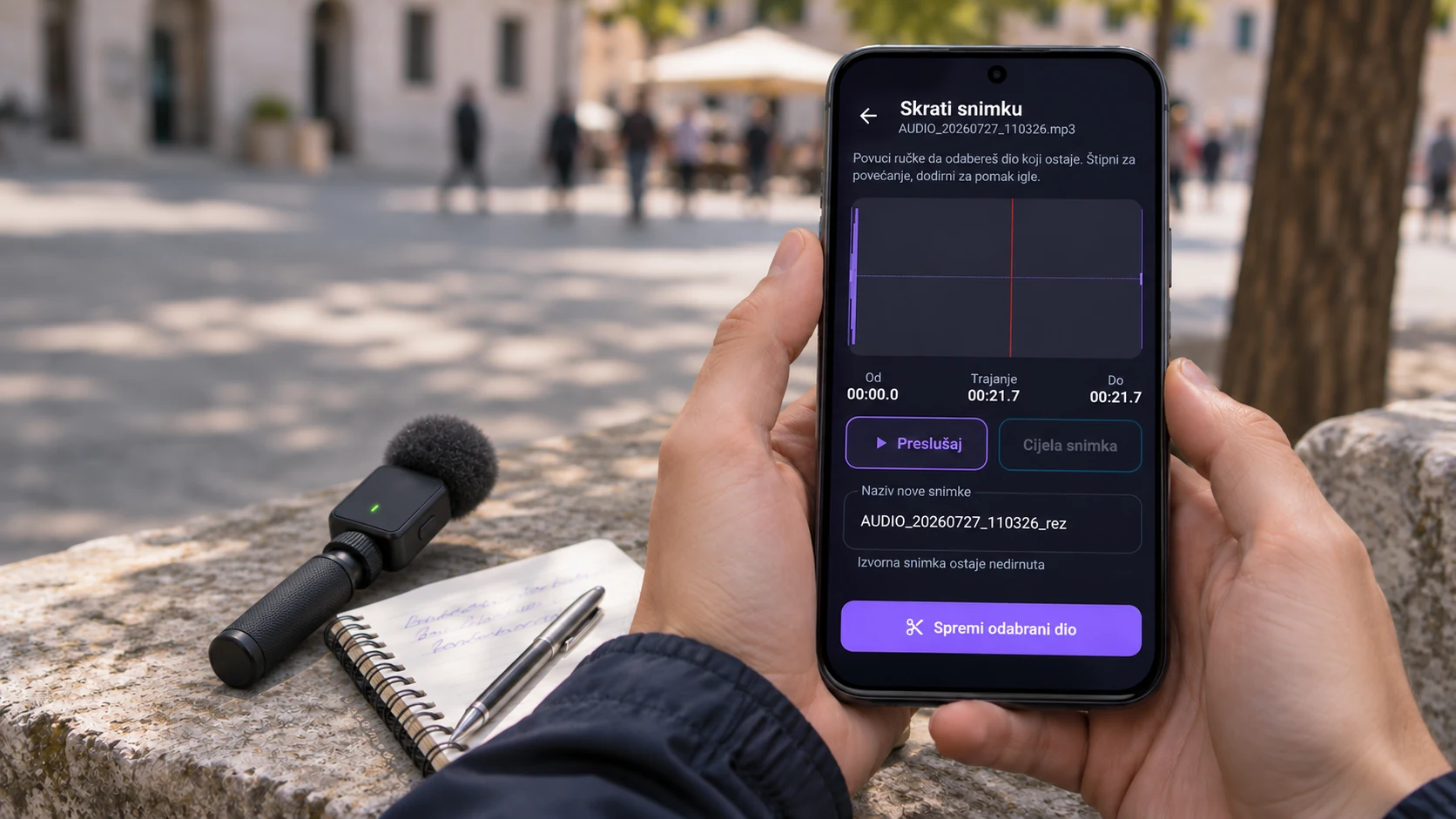
Listen to the recording on your phone, select the part you need and save it as a new file. The original audio remains preserved. If the interview was recorded on video, the Video to audio tool extracts the soundtrack for radio editing. The newsroom can receive the selected audio while the reporter is still at the event.
Interviews, a spoken description and photographs are sent as a package under the event name. Full videos and other attachments are submitted through Files. Photographs and video can optionally be reduced in size before transfer to the configured server, where the newsroom continues the work.
AI Reporter suggests interview questions from an event description and photograph. With connected Newsroom access, reporters browse Board, mark editorial priorities and prepare website and social posts. HTML Studio helps create graphics, with public publication following review and confirmation.
From the field, you can send live audio to a prepared studio system or accept a two-way audio call from the studio. The newsroom decides when to bring the reporter on air. We coordinate the network, microphone and receiving system as part of the integration.
Reporters can do more work on location, and the newsroom receives usable material sooner. The example shown is the Banovina NEWS Android app.
05 / From the field to the audience
Reporter apps, newsroom tools and listener apps handle different parts of the same job. We connect them around your workflow so recorded content reaches editors and audiences as quickly as possible.
The reporter records interviews, video footage and photographs, then sends the material through the reporter app to the agreed destination. The editor receives content organised around the story.
On the newsroom computer, Video Newsroom can prepare edited and subtitled video for 16:9 and 4:5, alongside radio audio and preparation of a website news item. Social video handles video with text blocks, while audio tools handle radio news.
The newsroom reviews the result and chooses destinations: radio, the website and social media. Integration with LOREL Broadcast Suite is agreed according to how programming is prepared and played out. Material remains available for further work and archiving.
Mobile, in-car and TV apps open your streams and connected content collections. Each platform presents what suits it: radio in the car, episodes on a phone, and radio and video on television.
Automatic video editing takes place in Newsroom Agent. The reporter app gathers and submits material, while listener apps serve the audience. Integration connects these parts into an agreed workflow.
06 / Development for your station
The examples on this page show Radio Banovina projects. For your station, we prepare a distinct visual identity, content and integrations. Together, we choose features that bring real value to your audience and team, and the platforms that make sense to start with.
The name, icon, colours, channel logos and home screen are tailored to the station. Design connects all versions, while element sizes and controls are adapted for mobile, car and television.
We review streams, song information, the archive, podcasts, website and video sources. Where needed, we prepare integrations or server components to give the app a reliable content source.
We agree on platforms, features, supported devices, distribution accounts and maintenance. You can start with mobile apps and add car, TV or reporter tools according to priorities and budget.
Design and integration are followed by checks on the agreed systems and preparation for distribution. Store releases also depend on their approval processes. Maintenance and new features are planned alongside the development of your programming.
For an initial conversation, all we need is your station name, links to existing streams and a list of platforms you want to cover. We will show you a working example and suggest the order of development.
Radio on your website
A radio web player lets visitors listen directly in their browser. Use your station’s logo, show the current song and give listeners a choice of channels. Explore the live examples alongside your mobile, car and TV app plans.
QUESTIONS AND CHOICES
Yes. We prepare apps with your station's name, icons, colours and content. Radio Banovina demonstrates existing solutions; the features and appearance of your version are agreed for your project.
Android and iOS mobile apps, Android Auto and Apple CarPlay, separate apps for Android Automotive OS, and TV apps for Android TV, Samsung Tizen and LG webOS. A separate Android reporter app is also available for your journalism team.
Android Auto uses an app on a connected Android phone and displays a media interface in a compatible vehicle. Android Automotive OS is a system built into the car, for which a separate app is prepared. We clearly distinguish them in our offering.
Yes. In versions connected to a supported radio recording system, listeners can replay available earlier songs and return to the live programme. The scope is determined by the recordings the station retains. Song title history and the audio archive are separate sources that we connect to the app.
Yes. Apps can bring together the main programme, themed streams, podcasts and video sources. We select suitable content and features for each platform: audio remains the focus in the car, while mobile and TV can also include video.
Open the schedule and questions, record video and audio, select part of an interview, add photographs and send material to the newsroom. With connected services, they can prepare AI questions, follow Board, work with website tools and send audio to the studio.
Newsroom Agent on the newsroom computer handles automatic editing, subtitles and video format preparation. The mobile app prepares and sends material from the field. We connect the two solutions according to your workflow.
No. You can start with the platforms where your audience is most active and expand in stages. Features, content sources, supported devices, distribution and maintenance are agreed before implementation.
LET US SHOW YOU WHAT IS POSSIBLE
Tell us which channels and content you have and where you want to reach your audience. We will suggest apps, integrations and the order of development for your station.
Examples show existing Radio Banovina projects, including previously prepared interface views. We define your app's appearance and capabilities according to the agreed platforms and connected services. Click screenshots to enlarge them.